Lead the relationship.
Identify the operator’s priorities, introduce the opportunity, share the current environment and stay involved in the customer conversation.
 CLIENT SOLUTIONS GROUP
Request a demo ↗
PayBOTX Client Solutions Group · Restaurants
Bring us the restaurant opportunity. PayBOTX Client Solutions Group brings together the operating platform, food management, equipment, installation, training and ongoing support. You lead the relationship. We lead the solution.
Client Solutions Group is PayBOTX’s dedicated team for complex restaurant programs. We connect the software, the equipment, the people and the ongoing service into one coordinated project.
BOTX-Restaurant is the platform. PayBOTX Client Solutions Group is the team that scopes it, installs it, commissions it, trains the restaurant and manages support.
One accountable delivery team
Workflows, locations, menus, food costs and management priorities.
POS devices, kitchen displays, printers, fulfillment and reporting.
Training, launch coordination, remote support and on-site service when necessary.
Identify the operator’s priorities, introduce the opportunity, share the current environment and stay involved in the customer conversation.
Validate the requirements, define the scope, coordinate the delivery team, install and test the equipment, train users and manage the service commitment.
A named project lead connects the restaurant’s operating standards to the people responsible for making the program work.
Experienced leadership
The private Client Solutions Group combines large-project management experience with restaurant technology and operational knowledge.
His project background includes a decade of developing McDonald’s POS, food-costing and product-mix technology, development of McCamera, and McDonald’s OTP3 advanced NP6 troubleshooting training.
Explore the project background →SABORPOS · THE RESTAURANT EXPERIENCE
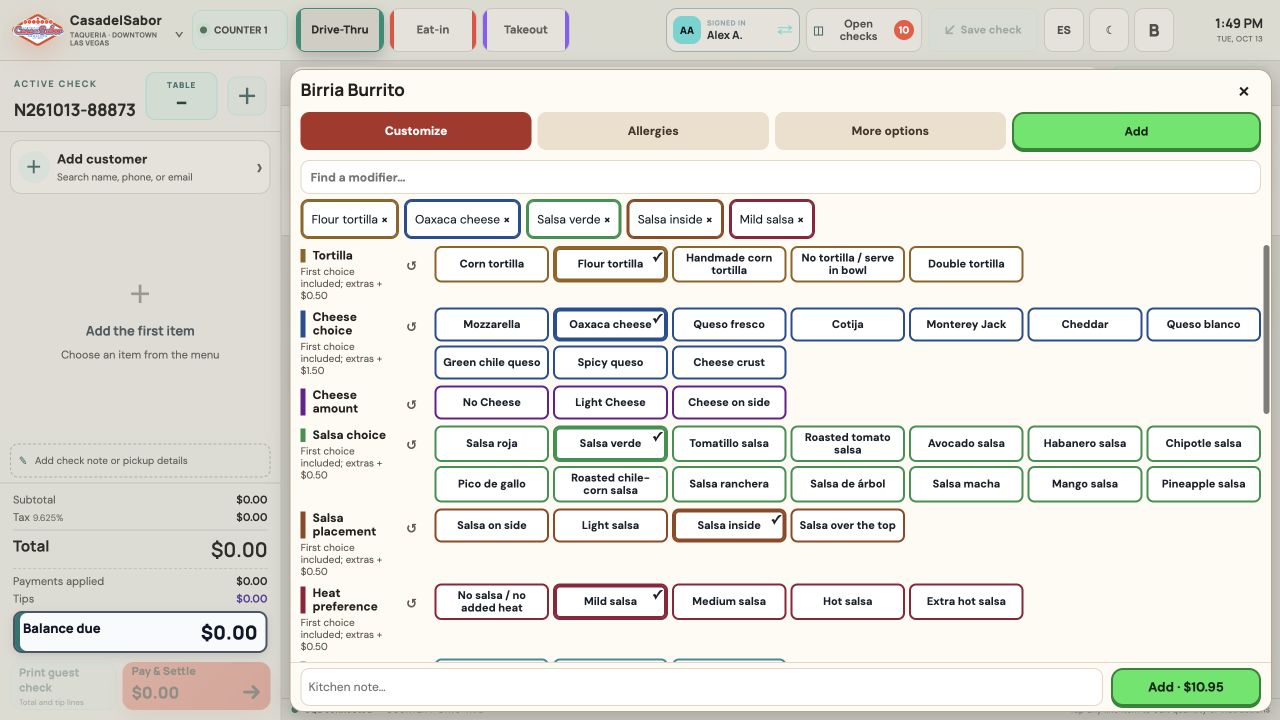
SaborPOS connects the restaurant experience to food economics, franchise management and accountable service. Explore the register and the Casa del Sabor customer-ordering experience in the working SaborPOS demonstration.
At the counter Single-screen modifiers, every ordering channel and the full kitchen context.
Behind the menu Ingredients, recipes, usable yield, purchasing, production, waste and product mix.
Across the organization Store, region, franchise and crew comparisons, with McCamera service escalation.
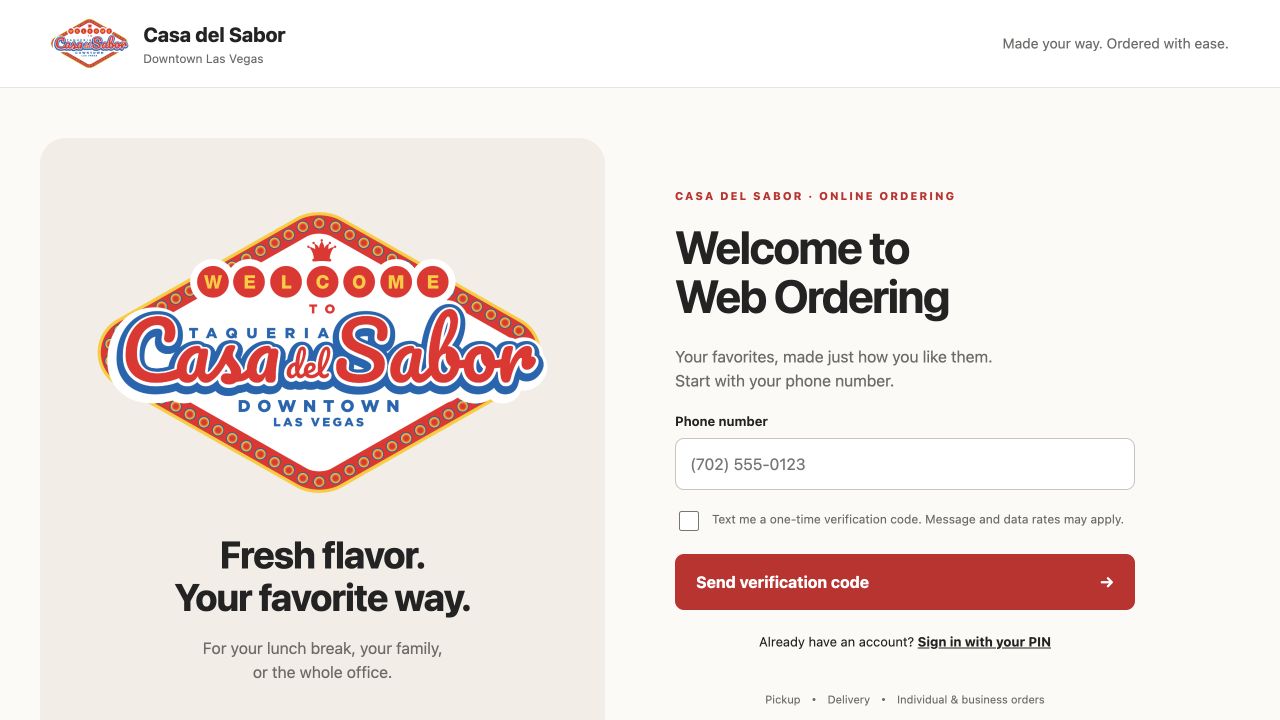
TWO EXPERIENCES. ONE RESTAURANT WORKFLOW.
Show reps how the staff register and customer portal support the same menu, modifiers and fulfillment process.
Phone verification, six-digit PIN access, SMS recovery, personal or business profiles, delivery addresses and order history.
Departments, products, quantities, required and optional modifiers, preparation notes and a saved cart.
Pickup or delivery review, confirmation and a single order record for restaurant execution.
Staff functions require authorized sign-in. The current portal demonstrates card approval; it does not charge a card. Demo details
BOTX-Restaurant connects the decisions that shape service and profitability—from what can be sold right now to what should be ordered tomorrow.
Start with one counter. Expand across concepts, channels and locations without rebuilding the operating model behind the business.
Every module shares the same operational language—so the menu, stockroom, kitchen, guest and ledger stay aligned.
Point of sale
Touch-first service with large category and item controls, rapid search, day and dark modes, and manager editing inside the register.
Every check has a state.
Every action has an owner.
Menu, recipes & product mix
Create, edit or archive items across Eatery, Marketplace and Catering menus, with channel-level visibility and pricing foundations.
Inventory & purchasing
Track master stock, lots, weighted goods and recipe demand with on-hand, committed and truly available quantities.
Customers, access & value
Connect customer history and stored value with permission-driven staff access and manager controls.
Kitchen, hardware & delivery
Normalize orders from the dining room, web and delivery channels, then route them with the context teams need.
SUNMI 80mm · Online
Kitchen display · Synced
Ethernet scale · Stable
Reporting & analytics
See performance by time, team, product, channel and location—then connect it to the cost of what was actually sold.
In-store, owned-web and QR flows share one internal order model. DoorDash, Uber Eats and Grubhub use an adapter-ready foundation for scoped channel integrations, external IDs and statuses.
Cash and credit architecture with partial payments, split tenders, tip separation, audit history and transaction-safe close. Processor certification is scoped during implementation.
Configurable eligibility by item and category. Support military 10%, first responder 15%, nurse 10%, teacher 10% and authorized on-shift employee 100% programs—with receipt and reporting visibility.
Scan 16-digit cards, sell in-cart, activate only after settlement, partially redeem or split tender, and track balances through a full ledger. Reload, reversal and refund foundations are built in.
BOTX-Restaurant links the recipe to stock and the stock to every selling surface. Required ingredients can block an item; shortable, removable and substitutable components follow explicit rules.
Item disabled on Counter, Table, Pickup, Online and delivery channels.
Variable-weight pricing, stable capture, device identity and audit data—through an abstraction layer designed for Bluetooth, USB, serial, Ethernet, TCP/IP and HTTP scales. A simulator keeps testing moving before hardware arrives.
COMPLETE FOOD MANAGEMENT
Follow every ingredient from its supplier pack to the plate—and every restaurant from expected usage to actual results.
Cost ingredients, nested recipes, portions, packaging and optional production labor. Compare current, standard and historical costs by store, region, franchise and company-owned restaurant.
Explore food management in depth →ILLUSTRATIVE YIELD EXAMPLE
Apply measured yield to recipe costs. Separate expected trim and cooking loss from additional waste and production variance.
Nested recipes, scaled batches, preparation media, printable cards, allergens, approved substitutions, versions, effective dates and local variations.
Sales-driven ingredient demand, pars, reorder rules, automatic replenishment, multiple warehouses, supplier SKUs, pack conversions, price history and source comparisons.
Forecasts, prep lists, actual inputs, measured yields, prepared stock, lots, expiry, storage, shipments, transfers and restaurant receipts.
Actual versus theoretical usage, stock counts, spoilage, staff meals, supplier returns, explained losses and transaction-level variance review.
Units, net sales, discounts, sizes, modifiers, combos and contribution. Compare popularity with margin and model ingredient, portion, price and volume changes.
Low-fat, low-salt and no-preference choices, allergy instructions, nutrition sources, edible quantities and reviewed recipe information that follows the meal to the kitchen.
MANAGEMENT VISIBILITY
Compare a specific store with its region, its franchise, all franchises and company-owned restaurants. Then drill into the transaction behind the result.
Use consistent definitions of sales, food cost and service time. Filter by period, shift, crew, menu category and ordering channel.
Taxable sales, collected tax and adjustments by store and period.
Purchasing, yield, cost, waste, product mix, contribution and variance.
Customer activity, repeat orders, preferences, channels and promotional results.
Orders, checks, payments, tips, service times, shifts and crew performance.
Inventory movements, cost periods, account mappings, journals and exports.
Compare opening, lunch, dinner and closing shifts. Read food cost, portion consistency, waste and service time alongside sales volume, menu mix and channel. Use the detail to coach other crews and operators.
MCCAMERA · SERVICE EXCEPTIONS INTO ACTION
Connect a slow ticket with the people who can help. McCamera links service-time exceptions, management escalation and authorized camera review.
Notifications, video snippets and live camera views help leaders assess the line, identify a bottleneck and provide guidance while the situation is unfolding.
Explore the McCamera approach →Respond when a ticket exceeds the service threshold.
Coordinate an immediate local response to a continuing delay.
Bring broader management support when needed.
Review authorized camera views and direct corrective action.
Camera connections, service thresholds and escalation timing are configured to the restaurant’s agreed standards.
BOTX-Restaurant adapts to the operating reality of each merchant without fragmenting the data underneath.
Modifier-rich menus, delivery channels, kitchen routing and precise recipe costing.
View implementation ↗ 02COFFEE SHOPHigh-speed counter service, size and milk modifiers, pickup flow, loyalty-ready customer records.
View implementation ↗ 03SEAFOOD MARKET + EATERYWeighted inventory, market pricing, lots, yields and a combined retail/eatery operation.
View implementation ↗A fragmented stack creates handoffs, duplicate data and blind spots. BOTX-Restaurant creates an operating model you can control, extend and own.
A modular Apache, PHP and MySQL lineage provides portability and a broad support ecosystem. Normalized data, API-ready boundaries and multi-location patterns support clean growth without unverifiable promises.
POS, menu, inventory, purchasing, fulfillment and reporting evolve as connected capabilities—not one brittle monolith.
Ready for multiple locations, web servers and database roles, with transactional and reporting patterns separated where the operating model requires it.
Merchant-accessible architecture prioritizes portability, recoverability and extensibility over lock-in.
Common internal models support future payment, delivery, hardware, EDI and operational adapters.
PayBOTX Client Solutions Group coordinates the full rollout around the restaurant’s workflows, equipment, people and operating standards.
THE CLIENT SOLUTIONS GROUP COMMITMENT
Client Solutions Group owns remote assistance, escalation and on-site service when necessary as part of the restaurant support program.
Web-based applications allow most diagnosis and support to happen remotely. When the issue requires a site visit, the group arranges and manages the service.
Read the support commitment →The service commitment covers an initial response and ownership of the issue. The customer proposal confirms the applicable coverage and support scope.
FOR PAYBOTX REPRESENTATIVES
Start with the operator’s business problem. Then connect the right people and the right restaurant workflow.
“PayBOTX Client Solutions Group brings your restaurant systems and service team together—from POS and online ordering to food costing, kitchen execution and management reporting. Our group scopes the project, installs the equipment, trains your people and manages ongoing support.”
Single store, region, franchise network or company-owned estate.
Counter entry, modifiers, online ordering, kitchen tickets or handoff.
Recipes, portions, yields, purchasing, waste and actual versus theoretical use.
Product mix, tax, marketing, shift/crew performance or service exceptions.
Current POS, payments, delivery marketplaces, printers, scales, cameras and launch dates.
Share the merchant, your rep contact details, location count, operating priorities, current systems and desired timing. Client Solutions Group can then define the discovery and demonstration scope.
As PayBOTX’s team for defining and delivering the complete restaurant program. Explain the platform, installation, training and support together, with a named project lead and clearly agreed scope.
Confirm the customer’s exact devices, payment processor, marketplace connections, camera integration, multi-location needs and service agreement with the group. The program guide distinguishes the complete restaurant scope from the current demonstration environment.
Use a working model that matches the merchant’s operating needs, then use the full program guide to discuss food management, reporting and delivery. Login-protected staff functions require authorized access.
Connect with Client Solutions Group
Request a restaurant demonstration or introduce a merchant opportunity. PayBOTX reps: include your name and contact details, the restaurant’s priorities and its target timeline.